
This is a PowerShell script that will export All AD Users to a CSV along with their first and last name, their email address, and department. This must be run under an admin account.
Get-ADUser -Filter * -Properties * | Select-Object givenName, sn, mail, department | export-csv -path c:\temp\userexport.csv*The file path can always be changed to any location of your choosing
If you want to Export All AD users by name and last logon date:
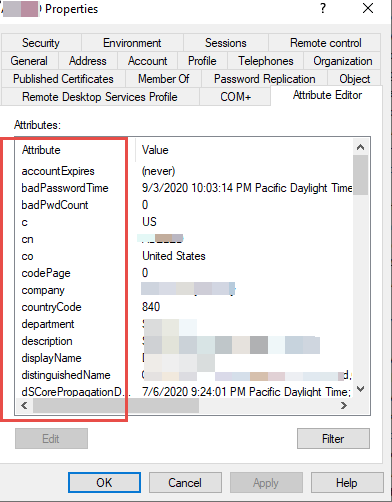
Get-ADUser -Filter * -Properties * | Select-Object name, LastLogonDate | export-csv -path c:\temp\userexport.csvYou can choose what attributes you want to be exported as well. To find those attributes go into AD, select a user, right-click to go to the Attribute Editor.
Get-ADUser -Filter * -Properties * | Select-Object name, lastlogondate, department | export-csv -path c:\temp\userexport.csv