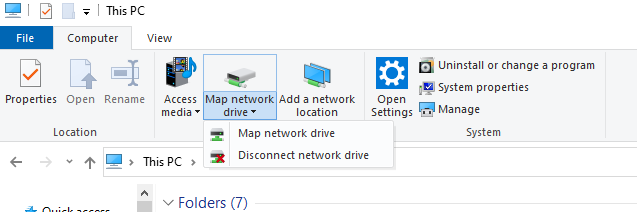
Open File Explorer and select “This PC”
Click the “Map Network Drive” button in the ribbon menu at the top then select “Map Network Drive” (This is under the Computer tab which should open automatically when you go to this PC as above.)
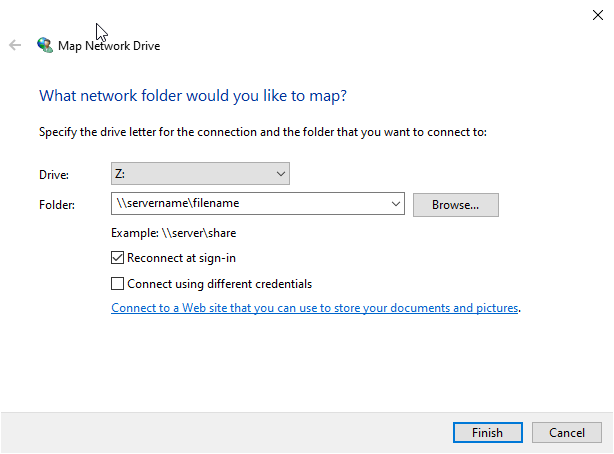
Select the Drive Letter you want to use for the Network Folder then hit Browse. Type in the file path or you could browse to it if you type in the \\servername\