
This warning/notification appears generally when replying to or forwarding an email message with or without an attachment. For some, it has appeared with new messages too.
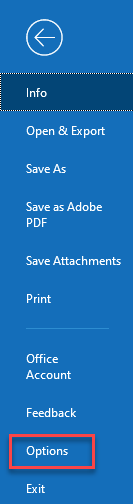
Open Outlook and select File > Options > Add-ins and select Go (see below):

The ‘COM Add-ins’ options box opens find and add-in’. Select OK and then close/re-open Outlook and test with an email that has an attachment in particular